

Salesforce QuickBooks Integration: How Vebo Helps You Invoice Accurately and Get Paid on Time
Late payments rarely start in accounting. They start when an invoice goes out with the wrong price or payment terms, when sales doesn't know an account is overdue, or when finance spends days reconciling two systems that should already agree.
Vebo is Valuehub's two-way Salesforce QuickBooks integration. It keeps accounts, orders, products, pricing, payment terms, invoices and payment data aligned between Salesforce and QuickBooks Online in real time, and alerts your team to invoice discrepancies and overdue payments as they happen. This guide explains what Vebo is, what it's for, how it works and the results it is built to deliver.
Vebo is a two-way, real-time Salesforce QuickBooks integration built by Valuehub. It syncs accounts, opportunities, orders, products, pricing, payment terms, addresses, invoices, payments and custom objects between Salesforce and QuickBooks Online, lets teams create, edit and track invoices (Paid, Due, Overdue) from Salesforce, and goes live in two weeks with no extra licenses.
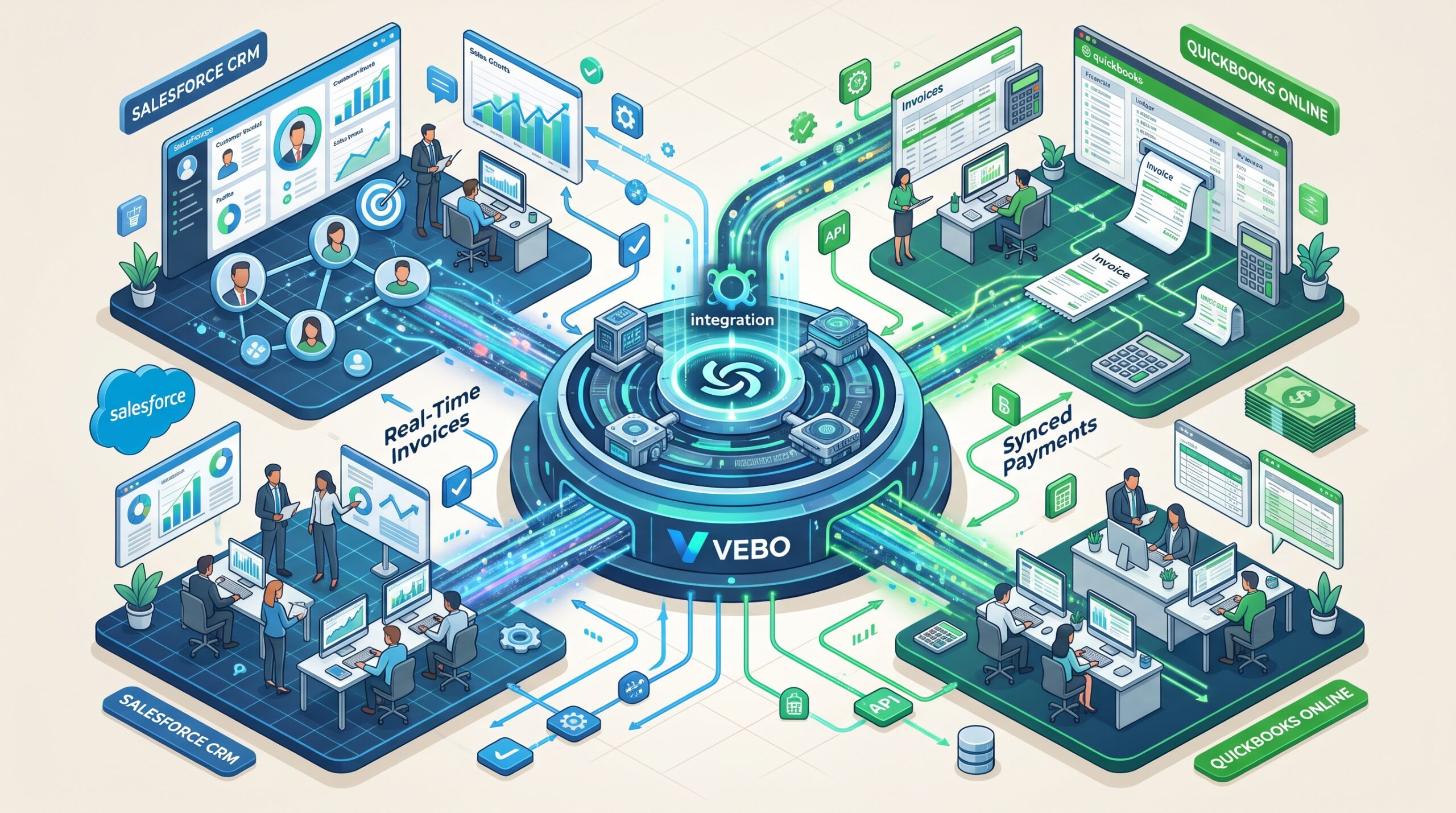
The Industry Shift: Late Payments and Manual Reconciliation Are Squeezing Cash Flow
Getting paid is getting harder for small and mid-sized businesses, and manual finance work is making it worse.
- 59% of small businesses have invoices overdue by 30 days or more, up from 47% a year earlier, according to the QuickBooks 2026 Small Business Late Payments Report.
- Businesses with unpaid invoices are owed $17.7K on average (QuickBooks).
- 39% say a single late payment made it hard to cover payroll or bills in the past year (QuickBooks).
- 88% of finance leaders cite data reconciliation as a strategic barrier and a strain on team resources, according to a Zuora survey of more than 900 finance leaders.
Accurate invoices, consistent payment terms and early visibility of overdue accounts are the levers businesses control. They all depend on Salesforce and QuickBooks agreeing on the same data.
What Is Vebo?
 Salesforce ⇄ QuickBooks Online
Vebo by Valuehub
A two-way integration that connects Salesforce and QuickBooks Online for real-time financial data sync. Changes made in either platform appear in the other, with configurable field mapping and real-time alerts for invoice discrepancies and overdue payments.
Where Your Books Live
QuickBooks Online is Intuit's cloud accounting software for small businesses, covering bookkeeping, invoicing, expenses, payments, payroll and reporting. Vebo connects it to Salesforce so your CRM and your books tell the same story.
What Exactly Is Vebo For?
Vebo is built for organizations that sell in Salesforce and run their accounting in QuickBooks Online.
Invoice and Follow Up Without Switching Systems
Create & Edit Invoices
Create and edit invoices inside Salesforce, using the same products and pricing finance uses.
Track Payment Status
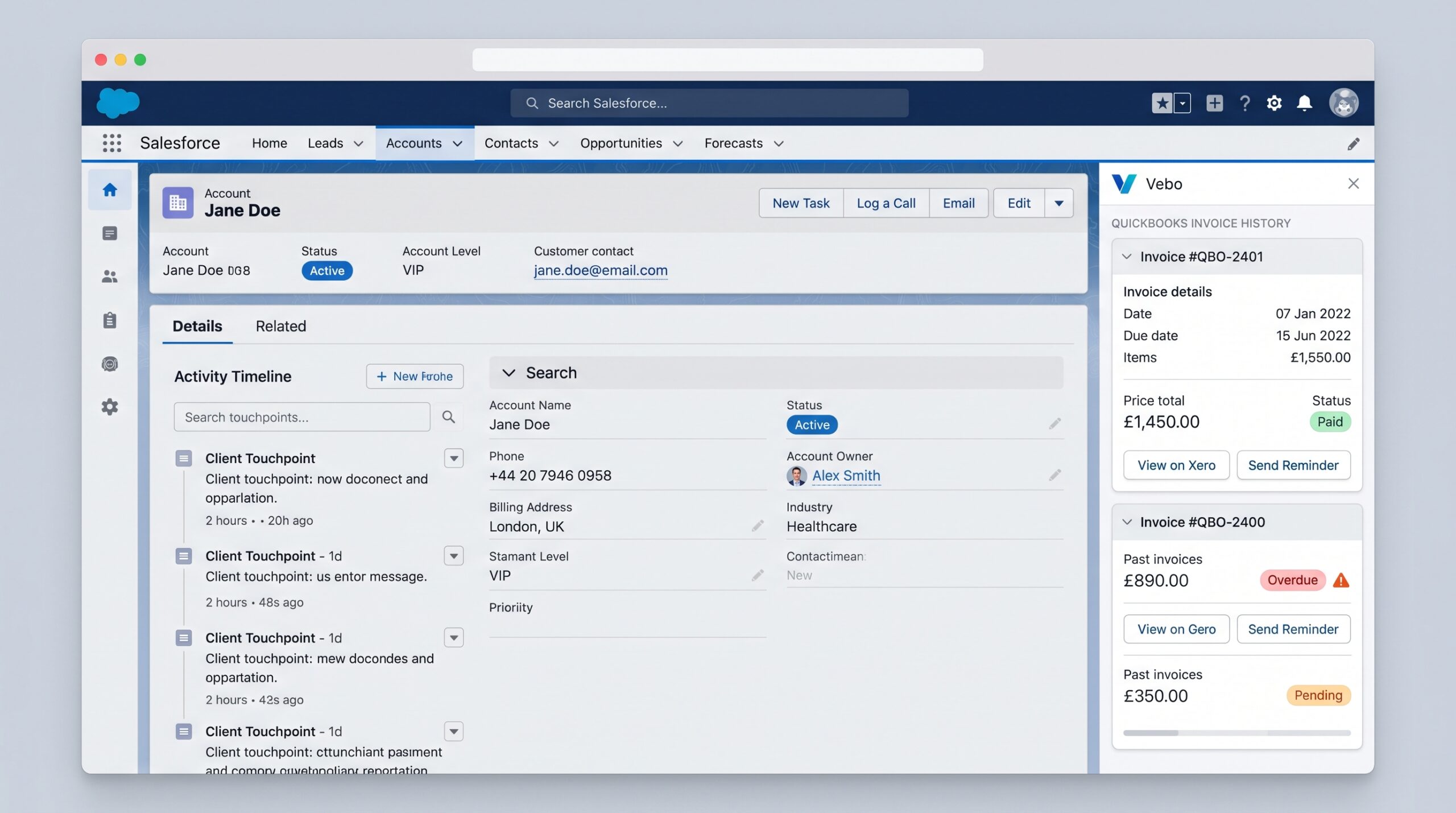
See whether each invoice is Paid, Due or Overdue on the account record.
Act on Overdue Accounts
Overdue payment alerts help account owners follow up before renewals and new orders.
Consistent Terms and Faster Reconciliation
Pricing & Payment Terms in Sync
Products, pricing and payment terms stay consistent across both systems.
Less Reconciliation
Automated sync cuts reconciliation time and the human errors that come with re-keying data.
Discrepancy Alerts
Real-time alerts flag invoice discrepancies so they're fixed before they reach a customer.
Live Financials Inside Salesforce
Forecasting & Planning
Use current financial data in Salesforce for reporting, forecasting and revenue planning.
Cash Flow Visibility
See invoice and payment status across the customer base to spot cash flow risks sooner.
Happier Customers
Accurate invoicing and timely payment processing improve the customer experience.
Before and After Vebo
Invoices Built on Guesswork
- Finance re-keys orders, products and prices from Salesforce into QuickBooks
- Pricing or payment terms differ between the deal and the invoice
- Sales doesn't know an account is overdue until finance flags it
- Reconciling the two systems eats into month-end
- Forecasts rely on exported reports that are already out of date
One Source of Financial Truth
- Data syncs automatically in both directions, in real time
- Products, pricing and payment terms match across both systems
- Invoices are created, edited and tracked from Salesforce
- Overdue payments and discrepancies trigger real-time alerts
- Leadership forecasts with live financial data
See Vebo keep Salesforce and QuickBooks Online in sync, live.
Request a Demo →How Vebo Works: The Flow Mechanism
Two-Way, Real-Time Sync Between Salesforce and QuickBooks Online
Vebo sits between Salesforce and QuickBooks Online and keeps your selected objects and fields aligned in both directions. Object mapping, field mapping, invoice rules, pricing and payment terms are configured during setup.
The Invoice-to-Payment Lifecycle with Vebo
Here is how a single invoice moves between the two platforms, from creation to payment.
Vebo synchronizes payment data and status between the two systems. It does not process payments or move money; payments continue to be handled through your existing QuickBooks setup.
The Quantitative Advantage
Vebo is designed for fast deployment and complete coverage of the financial data sales and finance share. The figures below come from Valuehub's product data.
100% Bi-Directional
Real-time financial data sync in both directions, so neither team works from stale numbers.
2-Week Go-Live, Guaranteed
From discovery to production in 14 days, including testing, UAT, training and documentation.
10 Data Types Synced
Accounts, opportunities, orders, products, pricing, payment terms, addresses, invoices, payments and custom objects.
Vebo is designed to eliminate manual data entry and duplication errors between Salesforce and QuickBooks Online. With 59% of small businesses carrying invoices overdue by 30+ days, invoices that go out right the first time and overdue accounts that are flagged early give your team a head start on getting paid.
Implementation Timeline: Live in Two Weeks
Days 1–3: Discovery & Setup
Salesforce org audit, QuickBooks Online access, scope definition and environment preparation.
Days 4–7: Configuration & Mapping
Object and field mapping, invoice rules, and pricing and payment term setup.
Days 8–12: Testing & Validation
End-to-end sync testing, invoice status testing, alert setup and UAT sign-off.
Days 13–14: Go-Live & Handover
Production deployment, live monitoring, team training and documentation.
Compatibility and Requirements
Supported Editions
- Enterprise Edition
- Unlimited Edition
- Force.com (app-only platform license)
Supported Plans
- All QuickBooks Online subscription tiers
No additional licenses are required on supported Salesforce editions.
Using Xero Instead of QuickBooks? Meet Vero
Vebo is built for QuickBooks Online. If your finance team works in Xero, Vero is Valuehub's two-way Salesforce Xero integration, delivered by the same team on the same two-week timeline.
Why Valuehub Is Ready to Connect Salesforce and QuickBooks
Valuehub built Vebo, and we implement and integrate Salesforce for businesses across Singapore, India, the USA, the UK, Indonesia, Malaysia, West Africa and the Philippines. You get one partner accountable for the product, the configuration and the go-live.
What Valuehub Brings to Your Salesforce QuickBooks Integration
- Product ownership: Vebo is our own product, so mapping, invoice rules and enhancements come from the team that built it.
- Salesforce depth: Our Salesforce integration specialists fit Vebo to your pricing, payment terms and processes.
- A family of connectors: Vebo sits alongside Vero for Xero, Commerce360 for Shopify and Salesforce, and Zenfy Connect for Shopify and Zendesk.
- Guided setup: Guided installation and configuration with minimal IT involvement, on a guaranteed 14-day plan.
Frequently Asked Questions
Does Vebo process payments?
No. Vebo synchronizes payment data and payment status between QuickBooks Online and Salesforce. It does not process payments or move money.
Does Vebo sync pricing and payment terms?
Yes. Products, pricing and payment terms are synced alongside addresses, so invoices created in Salesforce match what finance has in QuickBooks Online.
Can I create and edit invoices in Salesforce?
Yes. Vebo lets teams create, edit and track invoices inside Salesforce, with status shown as Paid, Due or Overdue.
Which QuickBooks plans does the Salesforce QuickBooks integration support?
Vebo supports all QuickBooks Online subscription tiers, with Salesforce Enterprise, Unlimited and Force.com editions. No extra licenses are needed.
What's the difference between Vebo and Vero?
Vebo connects Salesforce to QuickBooks Online, while Vero connects Salesforce to Xero. Both are two-way, real-time integrations built and implemented by Valuehub, with a two-week go-live.
Invoice Right the First Time. Get Paid Sooner.
Late payments and manual reconciliation drain cash and time that growing businesses can't spare. Vebo keeps Salesforce and QuickBooks Online on the same page, with matching prices and terms, live payment status and alerts the moment something slips. Valuehub builds it, configures it and supports it, so your teams can focus on selling and collecting.
Ready to connect Salesforce and QuickBooks Online in two weeks?
Request a Demo →